Project name and identifying details have been omitted due to a NDA.
The overview
Timeline
Sep 2025 – Dec 2025
Responsibilities
UX Research, Interaction Design & UI
Team
1 PM, 1 Product Designer, 1 Systems Analyst, 2 Devs
The problem
Why the project started
While the 2024 update introduced auto-descriptions, the quality often fell short of business needs. The core issue wasn't just accuracy, but the subjectivity of a "good" description:
Lack of business context. Generic AI models only analyze visible pixels. However, business clients need specific details relevant to their operations.
Language barriers. AI tags were always generated in English and then auto-translated via API. This workflow often resulted in awkward or incorrect phrasing.
The subjectivity trap. Clients and even our internal team had conflicting expectations about description length and tone. A single prompt couldn't satisfy diverse needs.
The goal
The RESEARCH
Direct competitors
I analyzed DAM systems such as Bynder, Aprimo, Frontify, and Orange Logic — leveraging their public documentation and marketing sites — to spot common UX patterns: where AI lives, how it’s configured, and who controls it.
Key observations:
Trigger-based workflows. Competitors like Orange Logic rely on background "Agents" triggered purely by global events (e.g., asset upload), lacking user control.
The "quarantine" approach. Bynder isolates suggestions in a separate "Review" area. This forces users to leave their library to approve changes, breaking the natural workflow.
The configuration silo. AI instructions are often buried in global "Automations" builders. This prevents users from easily tweaking instructions for specific properties/fields.
Productivity tools
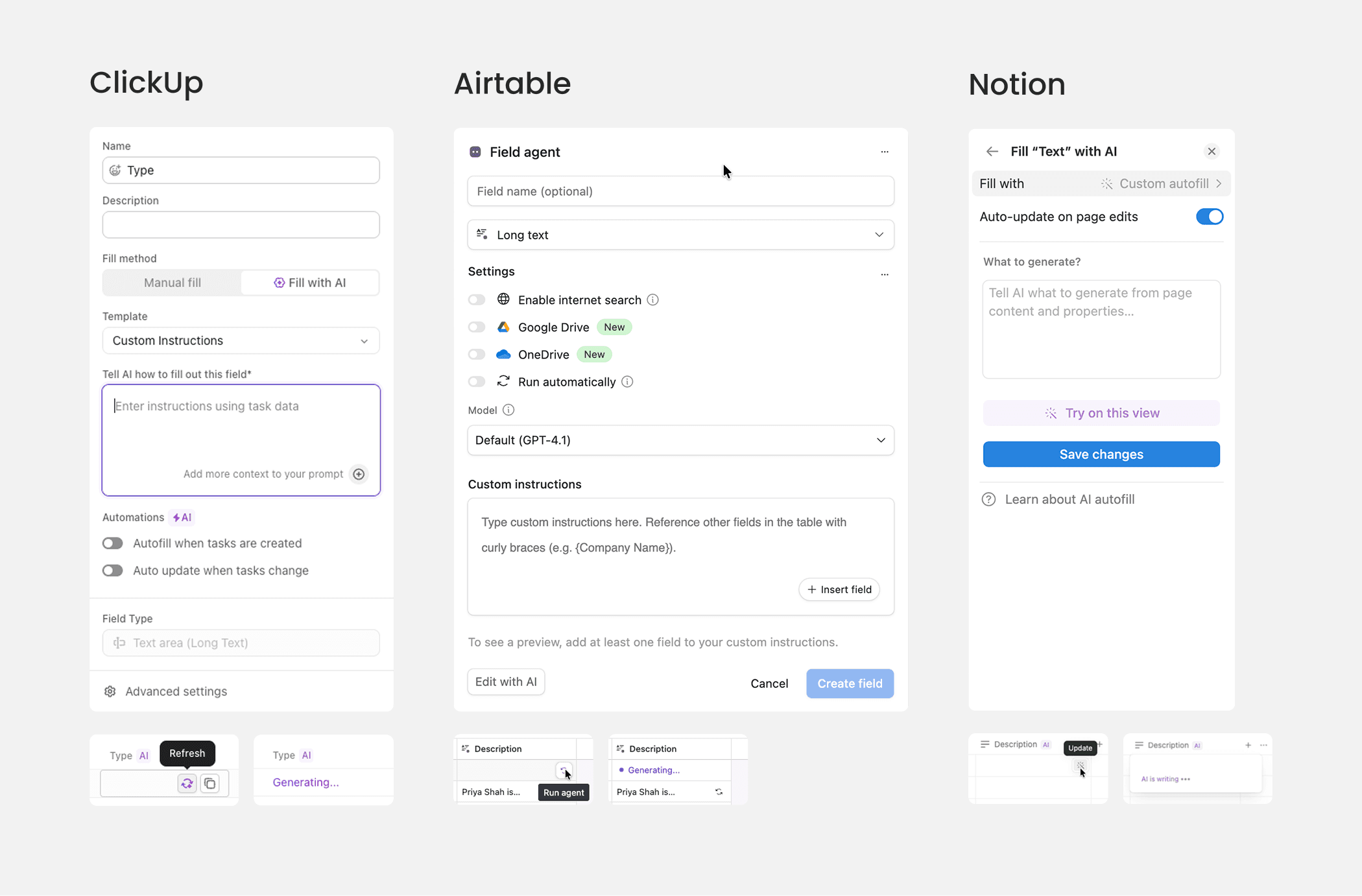
Looking beyond the DAM industry, I researched Notion, ClickUp, and Airtable to understand how modern database tools integrate AI into daily workflows.
Key observations:
On-demand accessibility. "Generate" buttons are placed directly in cells — it is not a hidden setting.
Contextual referencing. The ability to reference other fields, a critical feature for maintaining business context.
Freedom vs guidance. Notion and Airtable rely on a flexible "blank slate," while ClickUp uses templates.
Unsafe validation. Testing on live data or running blind updates risks corrupting public assets.
1.1 AI generation in productivity tools
Iteration 01
The initial idea
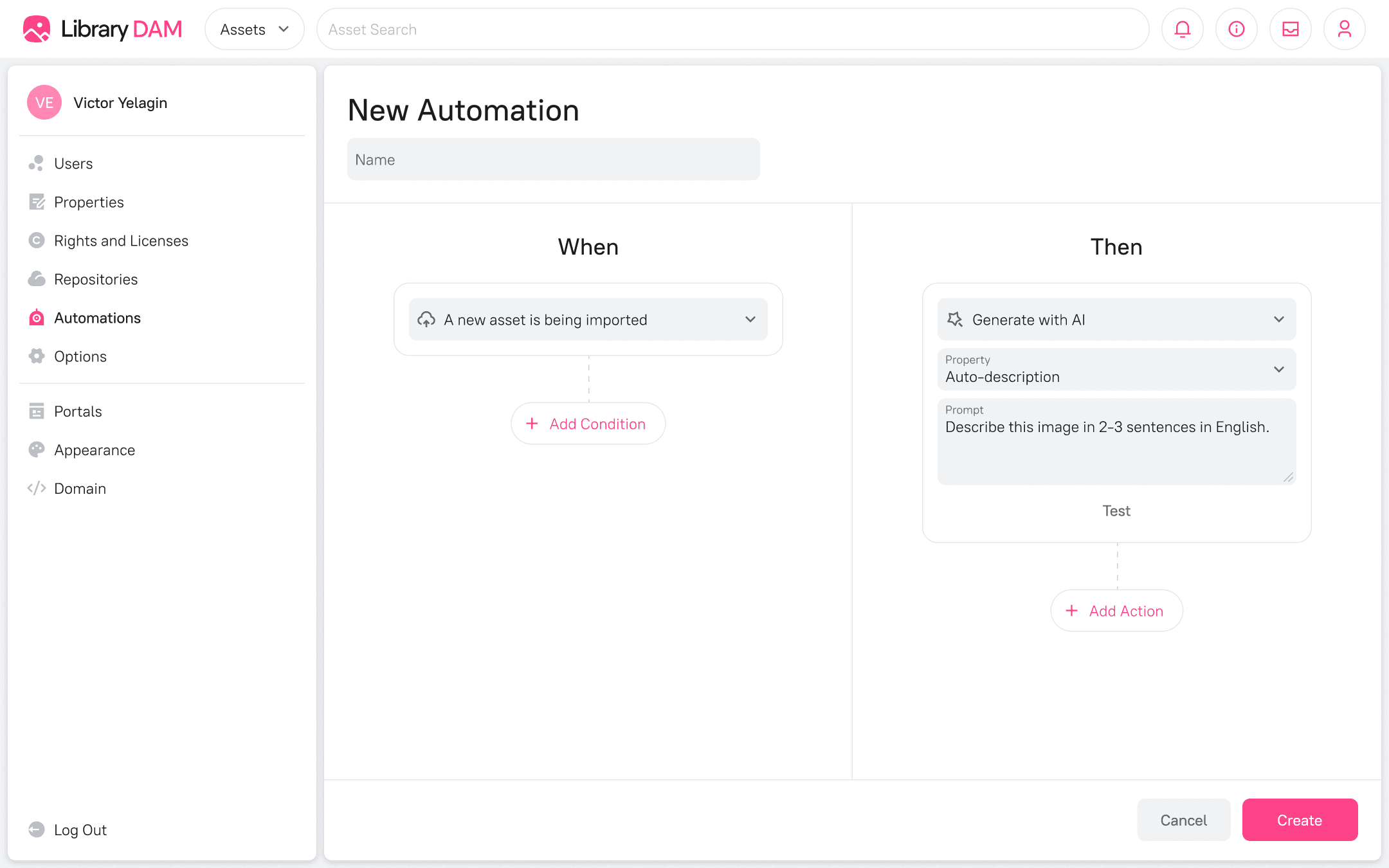
Following the patterns observed in other DAM systems, we planned to integrate this feature into the existing "Automations" module. The workflow relied on a strict "Trigger → Action" logic (e.g., "When Asset is Created → Generate Description"), treating AI purely as a background task.
2.1 Initial idea: automation
Why we abandoned it
AI generation isn't always a background process; users might need to trigger it manually on specific assets. Locking the configuration inside the "Automations" would make the instructions inaccessible to manual controls or future agents.
Iteration 2
The "prompt engineer" dashboard
The "Evaluation" concept
Moving away from hidden automations, I looked at developer tools like the OpenAI API Platform for inspiration. My initial design separated the workflow into two distinct stages: a "Setup" screen for tweaking prompts on a single asset, and a separate "Evaluation" tab for bulk testing on multiple records.
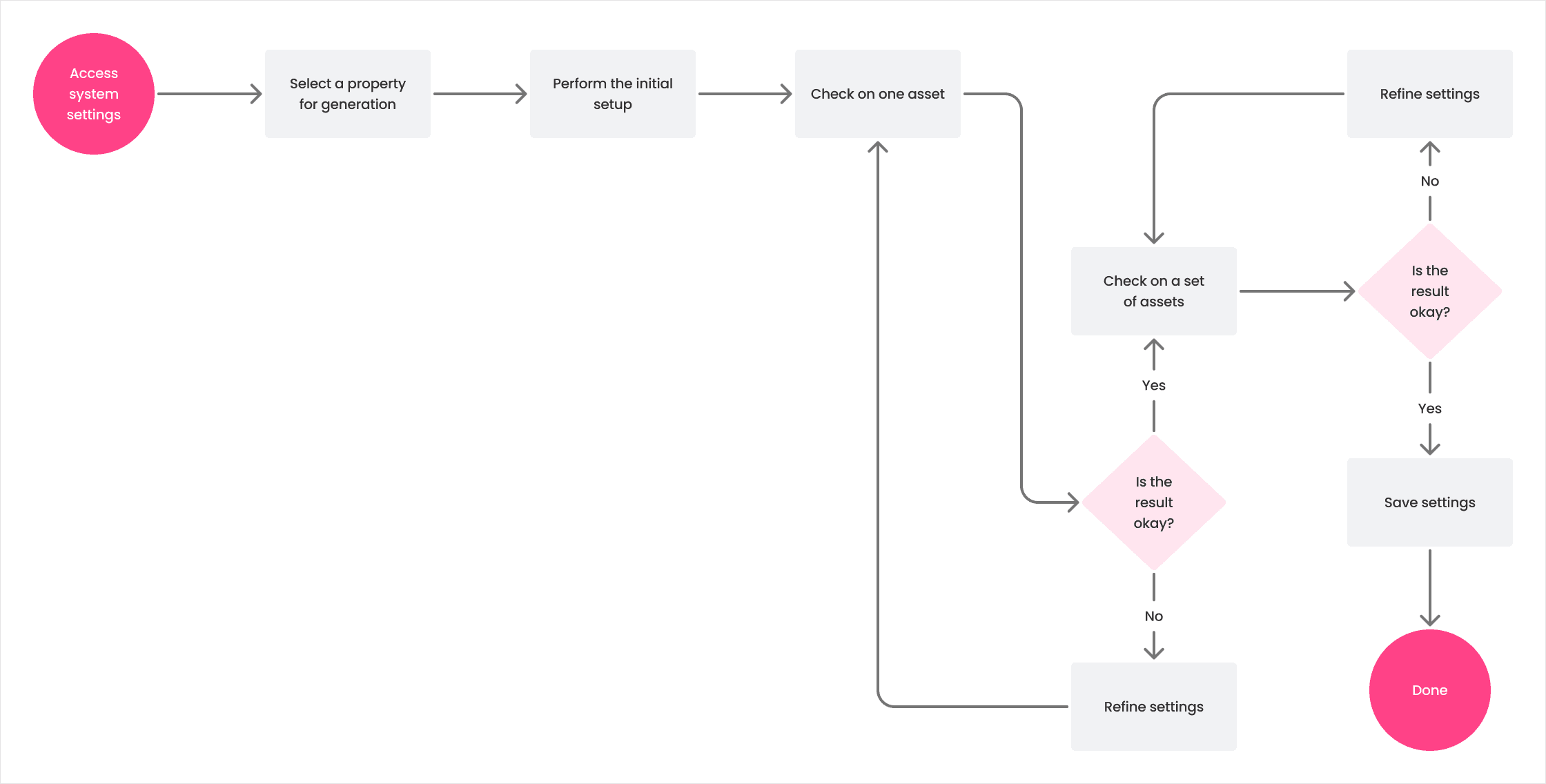
3.1 The next iteration of user flow
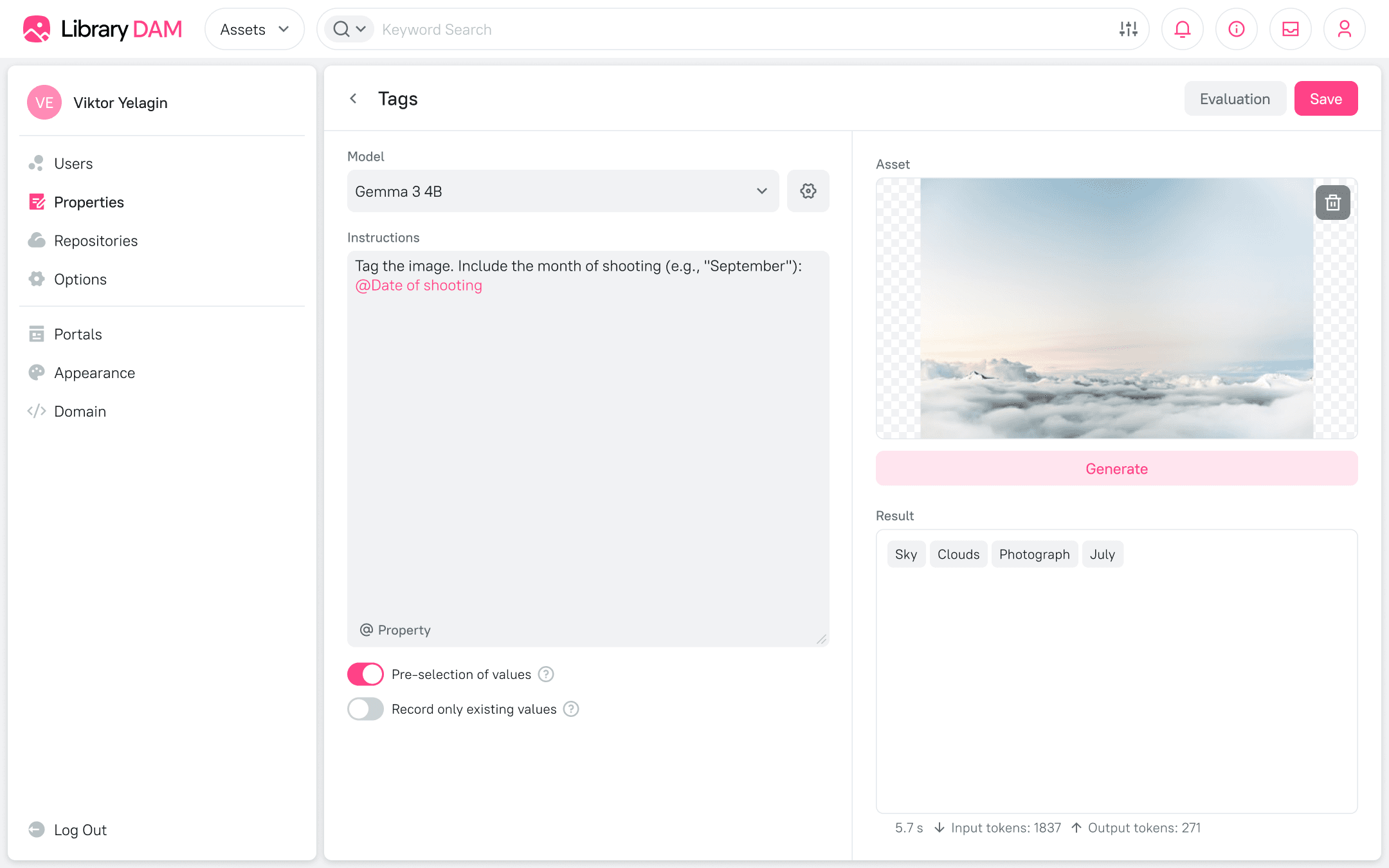
3.2 Unapproved design
Internal simplification
However, internal reviews revealed that splitting the flow created unnecessary friction. To reduce complexity, we decided to merge these stages into a single "Sandbox" interface — a centralized playground where users could configure, test, and run generation in one place. This was the version we prepared for prototyping.
validation
The reality check
Prototype usability study
I used Cursor to build a functional Next.js prototype connected to a live LLM. Then, I conducted usability sessions with 5 system administrators. While they understood the UI controls, the workflow failed to align with their mental model.
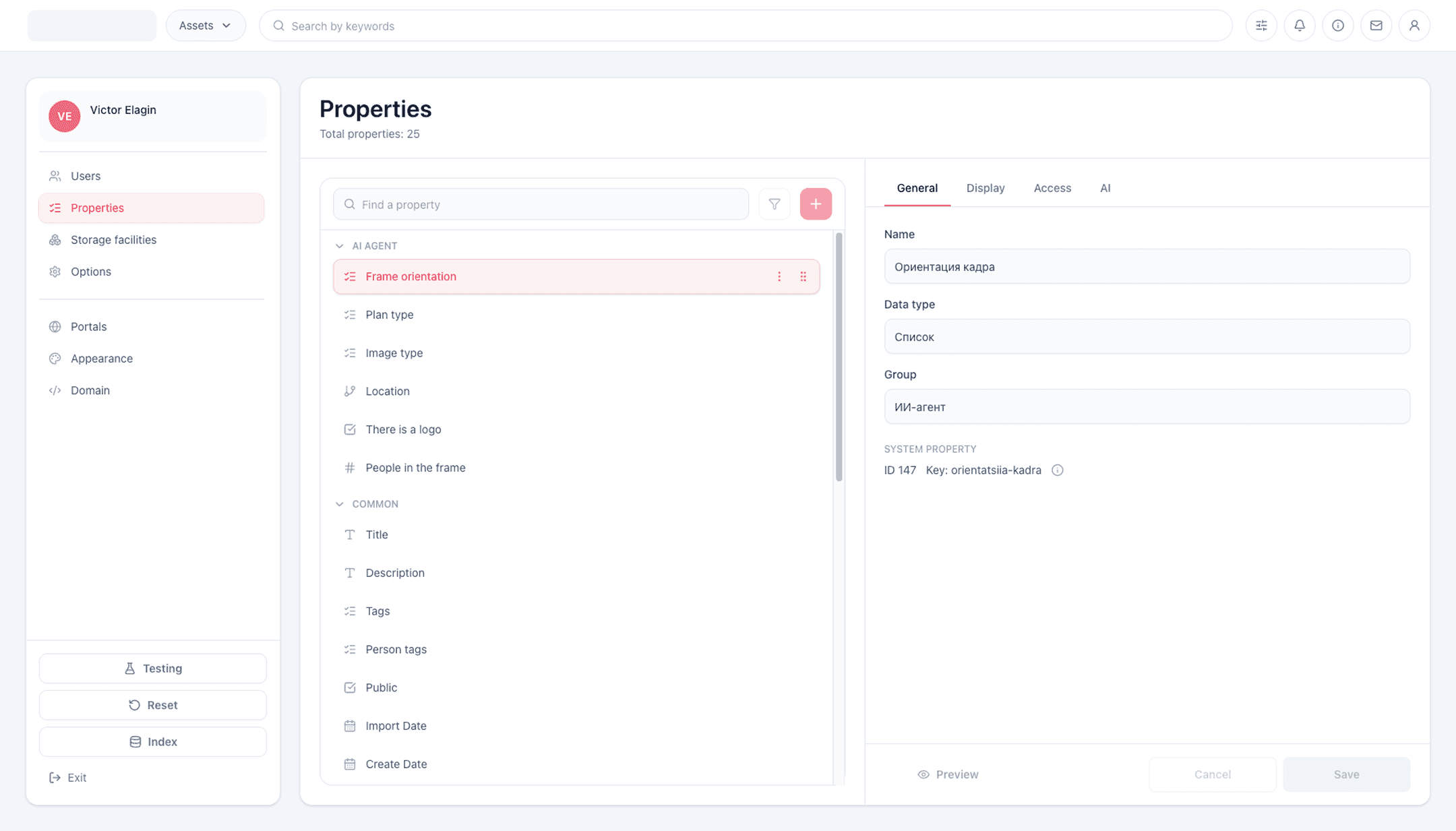
4.1 AI prototype: all properties
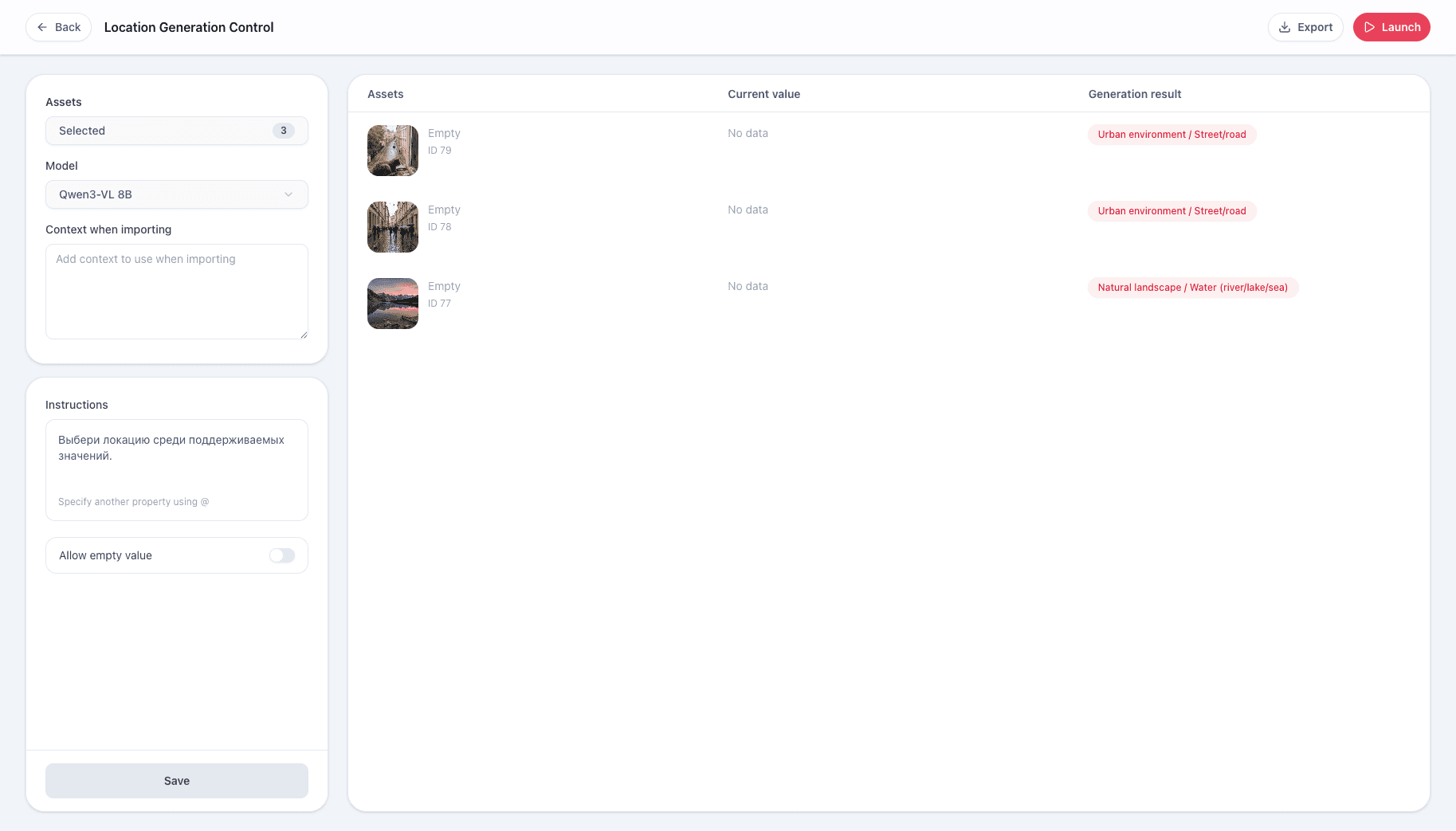
4.2 AI prototype: generation setup
Key friction points
Purpose ambiguity. Users found the settings but missed the testing capability. They saw no value in a separate sandbox compared to their natural workflow.
"I’d just close this and go import files the usual way to check how it works." — Ivan E.
UI fragmentation. The split between temporary test inputs and permanent settings confused users. It was unclear which data would actually be saved after the test.
"The 'Save' button is in the bottom block... If I exit the interface and come back, what data will be left here?" — Natalia K.
The skill gap. Despite their technical background, users struggled to write prompts from scratch. The "blank page" induced anxiety rather than control.
"No one here will be able to do this. It will just cause huge dissatisfaction... We need to write this out on several pages with examples." — Anna L.
refinements
Addressing the feedback
Global scenario library
Purpose: It acts as an inspiration hub where admins can browse use cases without needing to enter a specific property.
Structure: Each scenario includes the target property name, its type (e.g., List with example values), and the prompt, allowing users to adopt or adapt ideas easily.
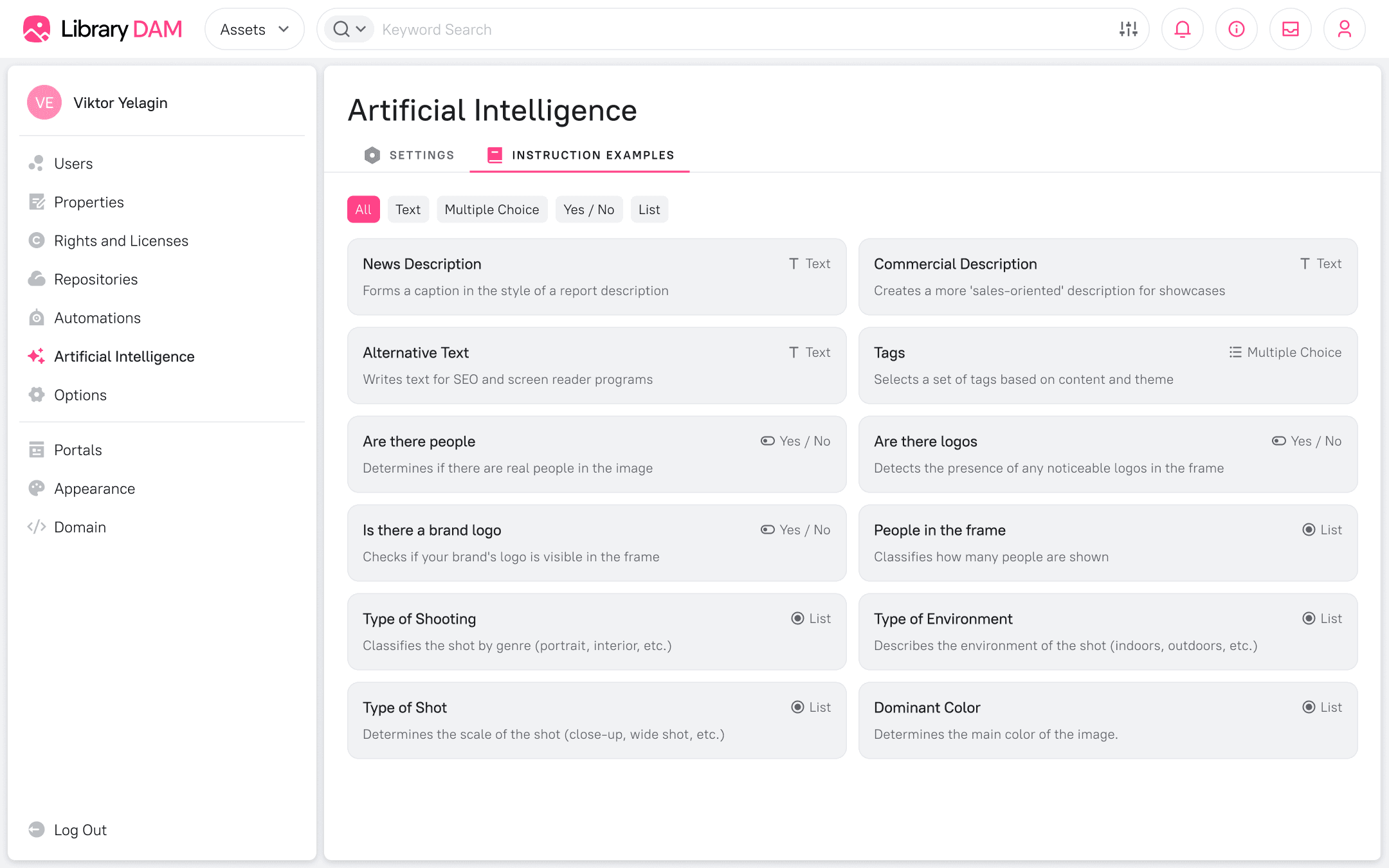
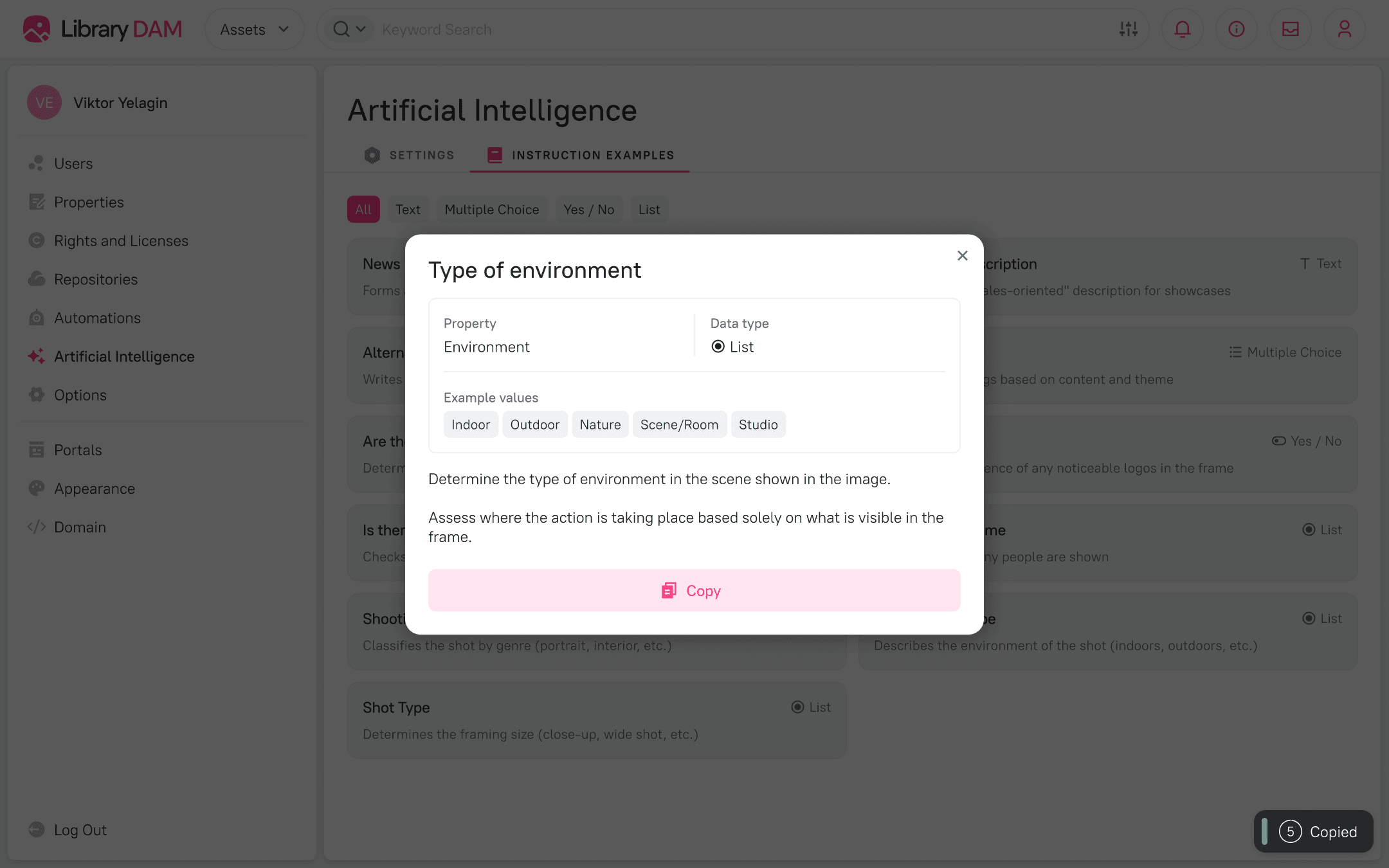
5.1 Scenario library
Layout restructuring
I redesigned the management screen to fix the confusion between "saving" and "testing." The interface is now divided into two explicitly named sections:
1
Parameters: The persistent configuration for the property.
2
Testing: A dedicated zone containing test inputs (asset selection, model, import context) and a results table.
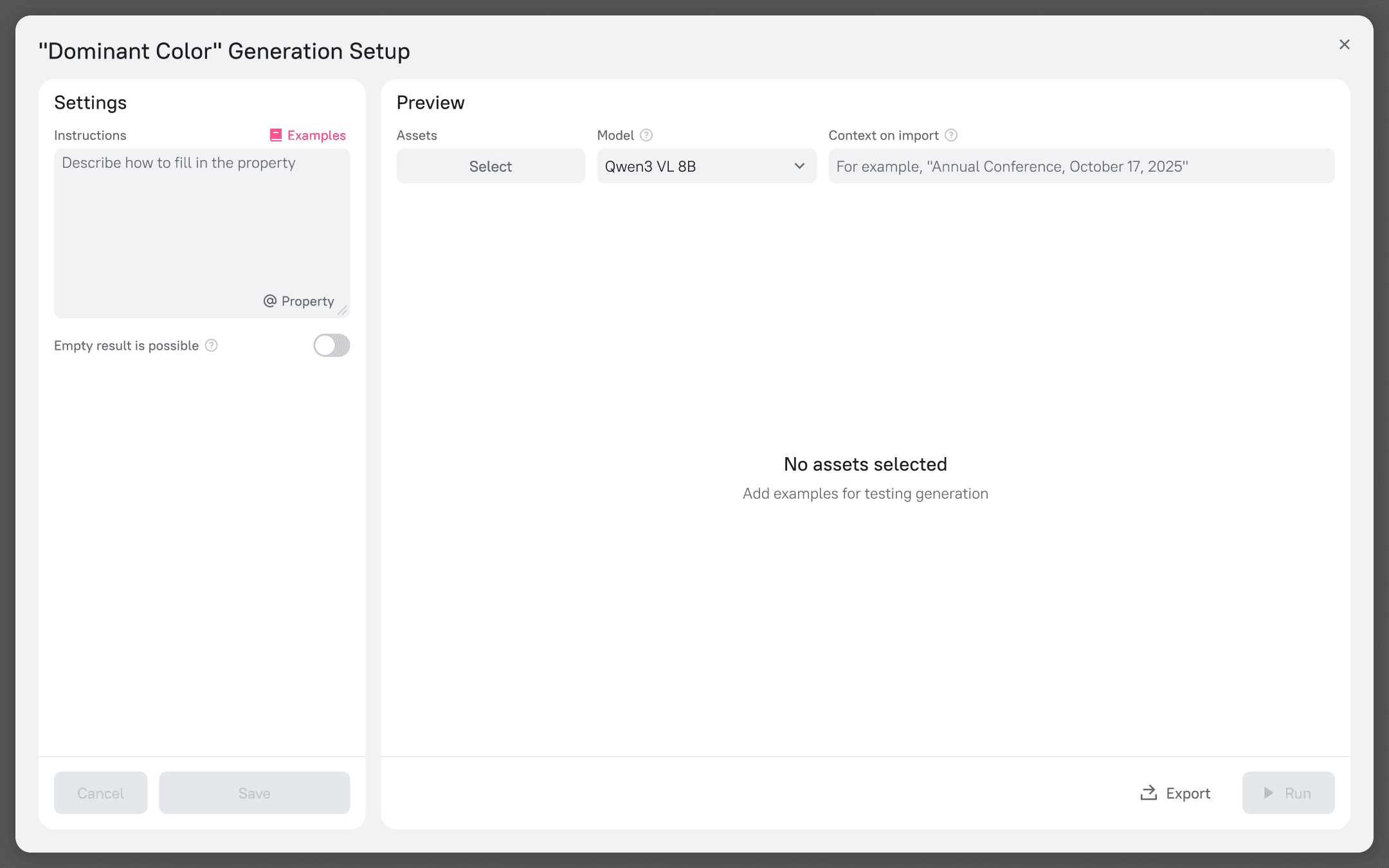
5.2 The new layout
final designs
The solution
Configurable autofill
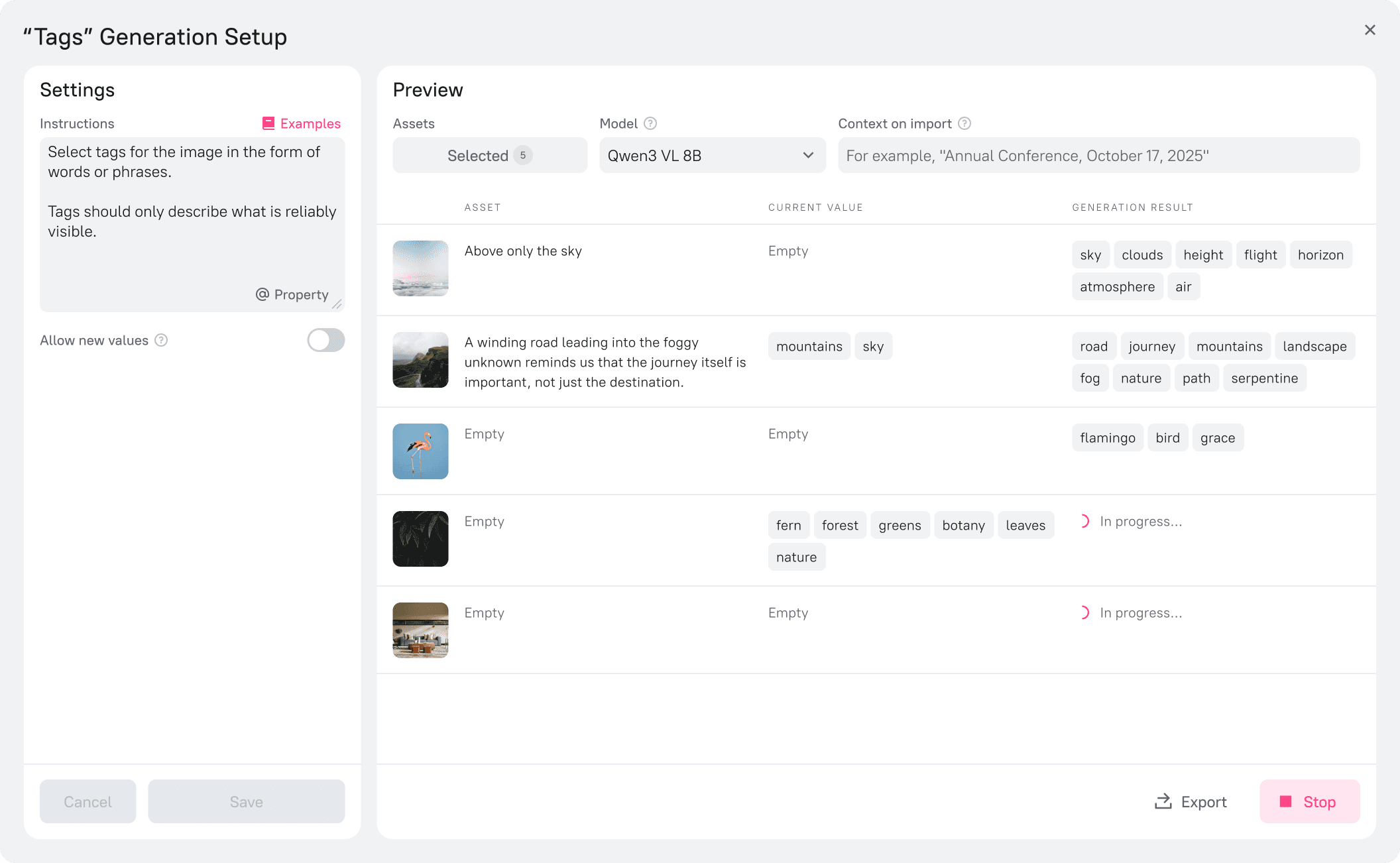
Admins can enable AI generation for any property. By defining specific instructions (the "Global" context) within the settings, they ensure that every new asset is automatically filled according to business rules, ensuring consistency across the library.
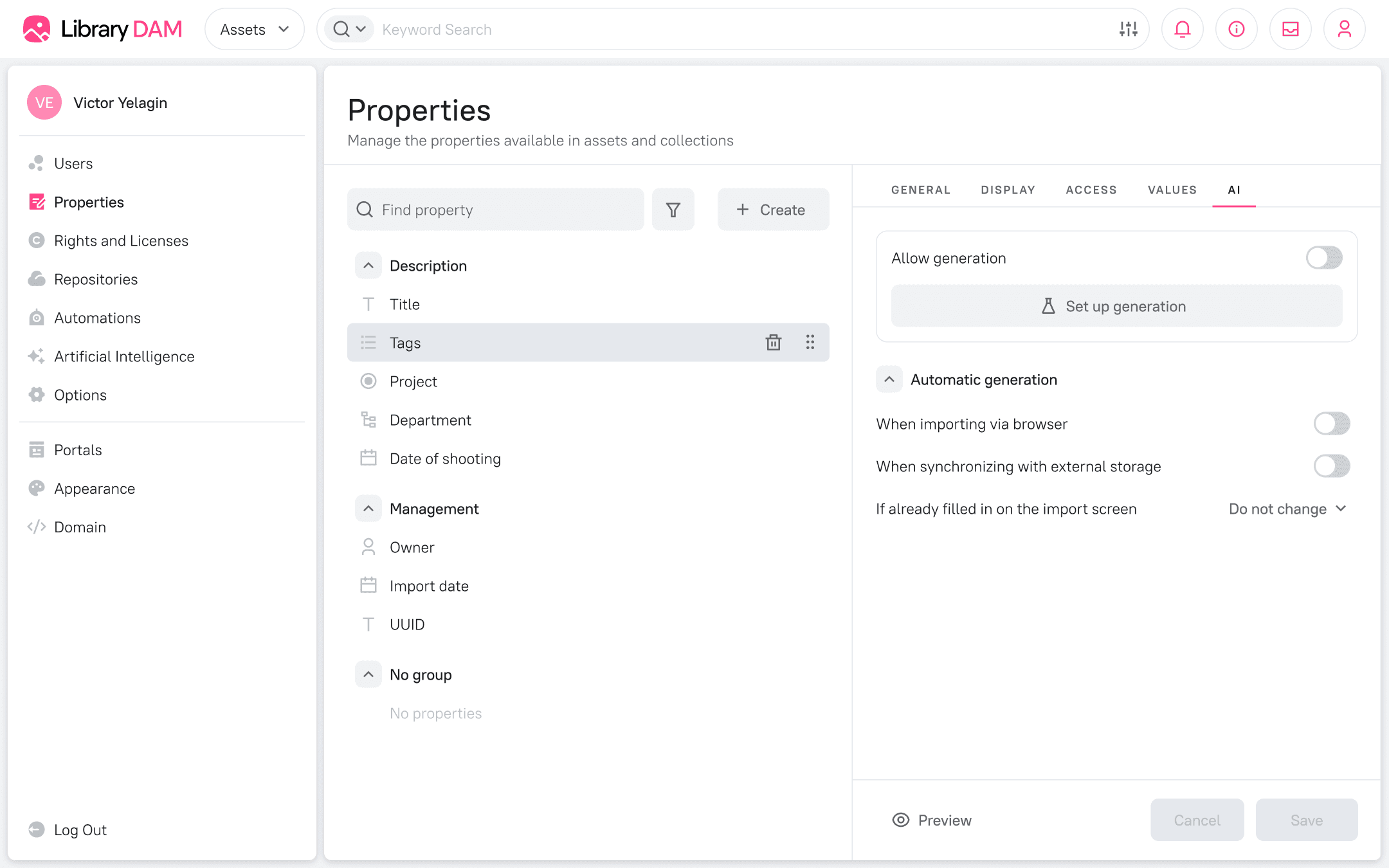
6.1 General AI settings of a property
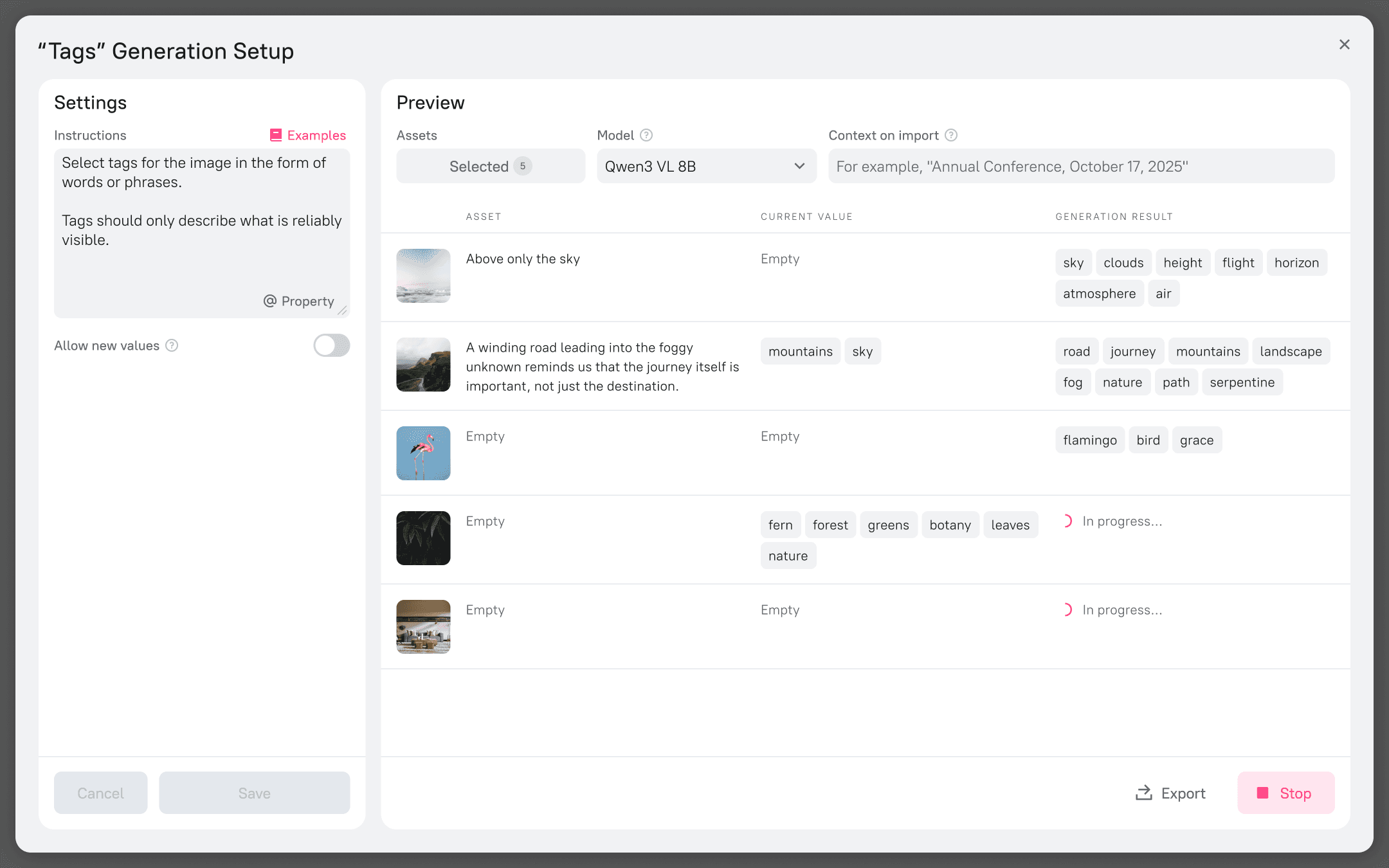
6.2 Generation setup of a property
Smart Import with context
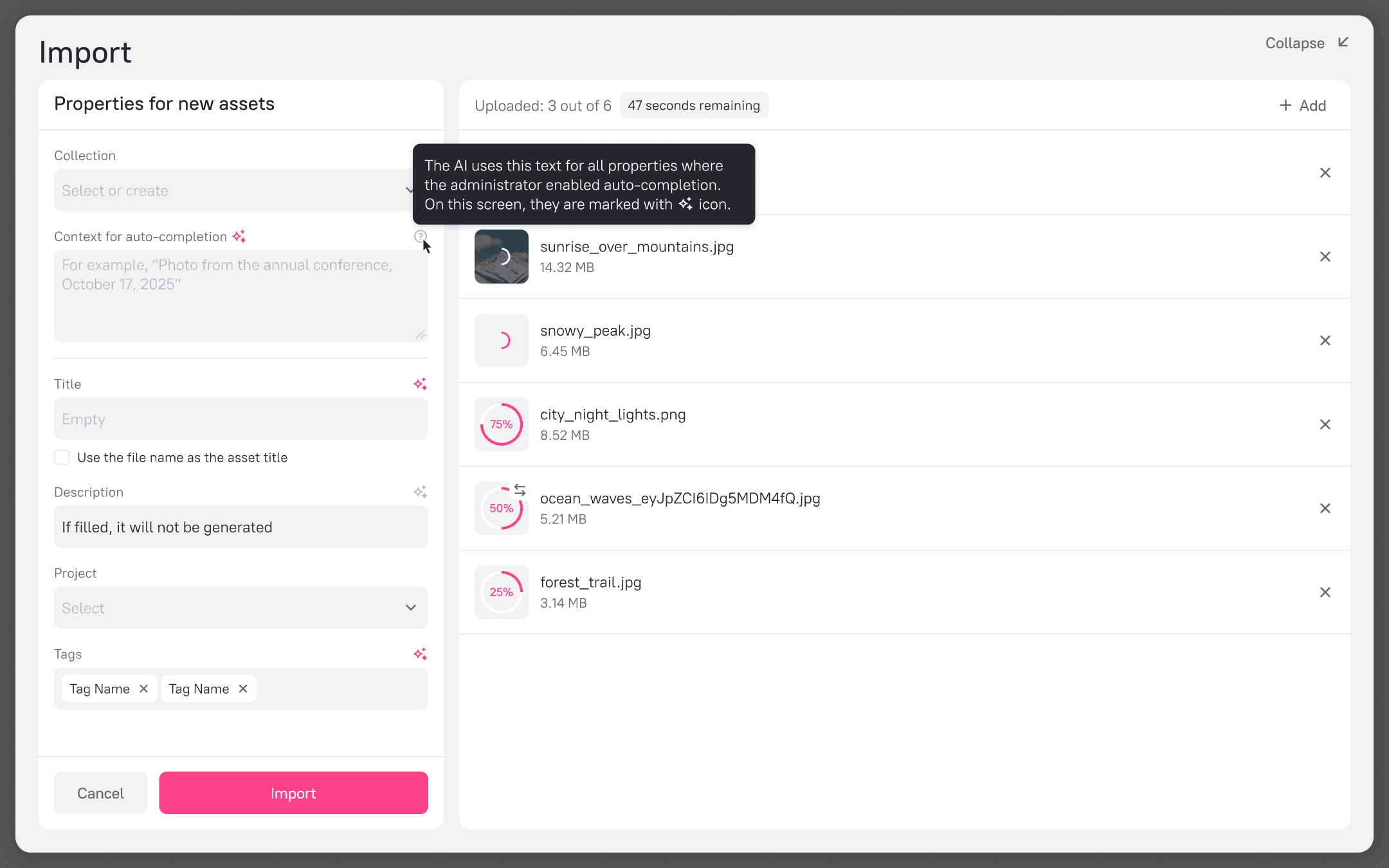
6.3 Import of new assets
On-demand triggers
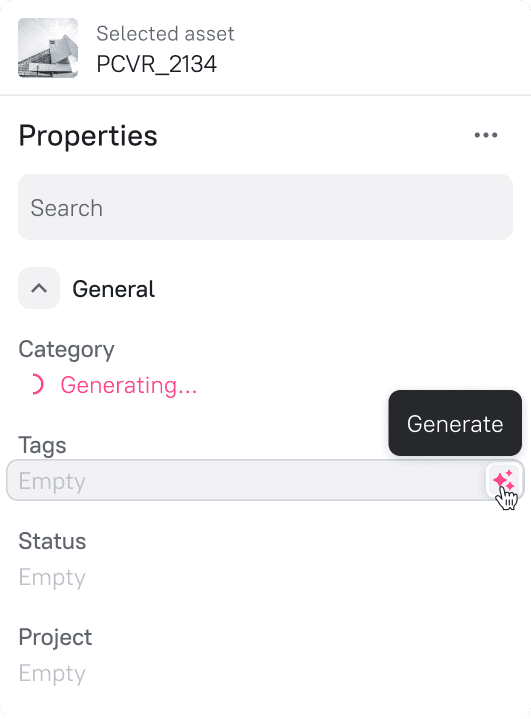
For assets already in the library, generation can be triggered manually. A "Generate" button appears on hover within the property fields. This scales seamlessly: when multiple assets are selected, the UI indicates how many items are pending generation, allowing for bulk processing of legacy content.
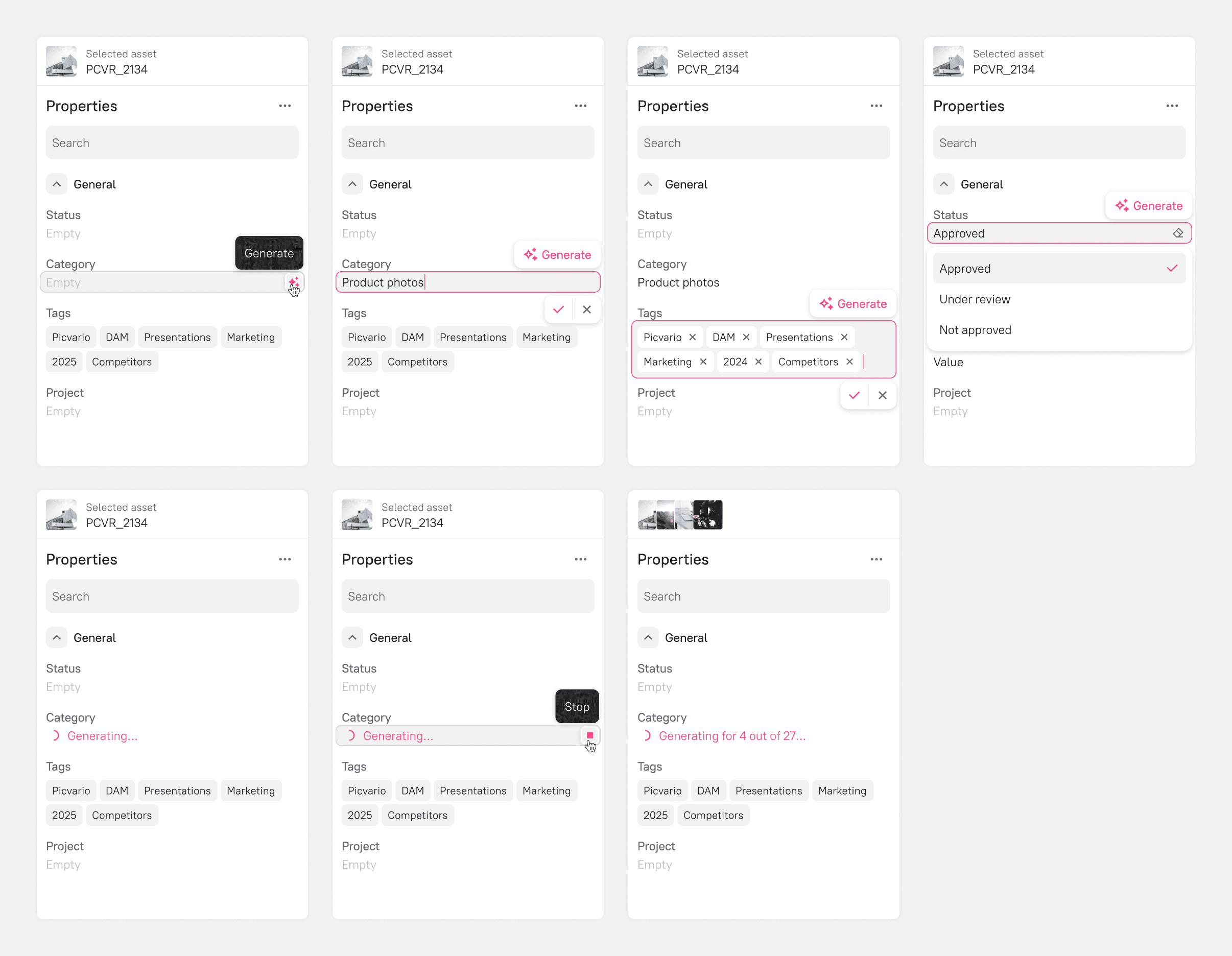
6.4 Inline AI generation
OUTCOMES
Outcomes & next steps
Bridging the gap
The transformation from a raw technical tool to a context-aware workflow successfully addressed the core barriers to adoption: complexity and trust. Feedback gathered during the process confirmed two key wins:
On usability: "The interface is intuitive. It’s my first time seeing it, and everything is clear: the properties, tabs, and controls." — Ivan E.
On value: "This is very constructive! It adds the factuality to the description that we were aiming for." — Natalia K.